



Log your runs and race your team along a virtual route
Missions are team-based challenges: every run you log adds to your team's total distance, pushing your team's pin along a virtual route on the map (for example, all the way from Ashby-de-la-Zouch to Pithiviers in our first mission, Château to Gâteau). The first team to reach the finish before the clock runs out wins!
| Mission | Route | Distance | Dates | Teams | Status | Actions |
|---|---|---|---|---|---|---|
| Château to Gâteau | Ashby-de-la-Zouch → Pithiviers | 693.5 km | 1 Aug |
17 | Finished |
✍️ How to log your runs
There are a few ways to add your runs to your team's total — pick whichever suits you. The leaderboard re-orders by distance as runs come in, so you'll see your team climb!
Finding your team
There are two easy ways to get to your team's page:
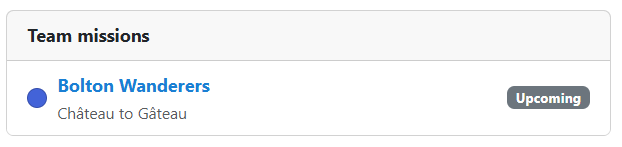
- From your runner profile — open My Runner and your mission teams are listed there.
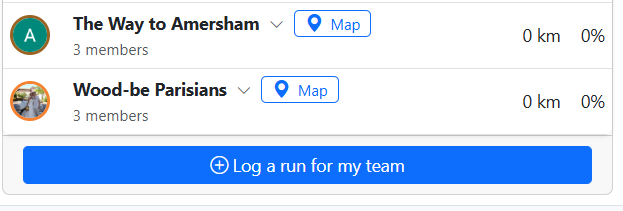
- From the leaderboard — open your mission's Progress page and click on Log a run for my team at the bottom of the leaderboard, or expand your team and click on View full team details ->.
1. Strava (easiest)
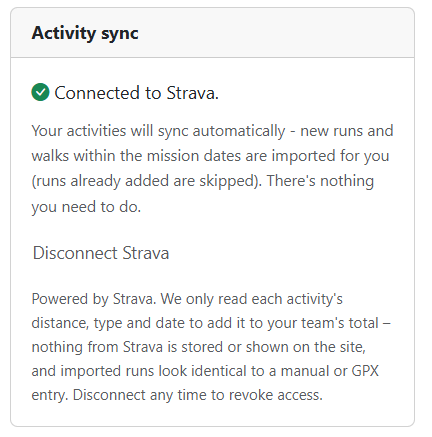
If you use Strava, this is the simplest option. On your team page, connect Strava once, then foot activities within the mission dates should now auto-sync from Strava. If opted-in then you should receive an email when a new activity is imported with a quick link to view your team's progress and to update the activity description.
⚠️ Strava connections are currently limited. We have a fixed number of Strava athlete connections available. If that limit is reached, you'll need to wait while we request more — we can only request a higher limit from Strava once the current limit is reached. Keep checking back, and watch the club WhatsApp / Facebook for an announcement when more become available. In the meantime, please use manual entry or a GPX upload below.
2. Manual entry (easiest on your phone)
On your team page, use Log a run: enter the distance (km or miles) and the date, then submit. You'll get a quick confirmation of the distance before it's added.
3. GPX upload (great on a laptop)
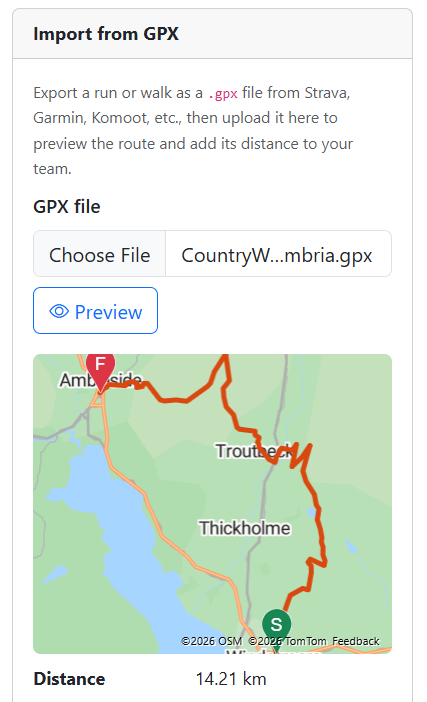
Export your run as a .gpx file and upload it on your team page. The distance and date are read from the file automatically, and you get a map preview so you can check it's the right run before adding it. Step-by-step instructions for exporting a GPX from Strava are shown on your team page next to the upload.
Good to know
- Runs only count if they fall within the mission dates (and, if you joined a team late, from the date you joined).
- Logged a run by mistake? You can remove it while the mission is running — but once the mission finishes, the record is locked.
- We'll email you mission and team-progress updates. To check the email address we hold for you, go to Manage Account.
- New to the site or having account trouble? See registering & account help on the Membership page.